
Key attributes
Access contol type
APP
Barrier open/close time
5S
Communication Interface
Wifi
Operation Direction
1-Way
barrier motor
Othere
Turnstile function
Other
Model Number
PST-WD400A
Brand Name
PST
Place of Origin
Guangdong, China
Material
ABS
Protection Level
IP55
Name
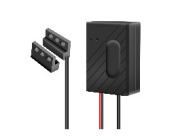
Tuya Smart WiFi Automatic Garage Door Controller
APP Name
Tuya Smart or Smart Life
Power
Type C DC5V 2A(Power adapter not included)
WiFi Standards
IEEE 802.11 b/n/g 2.4G Hz
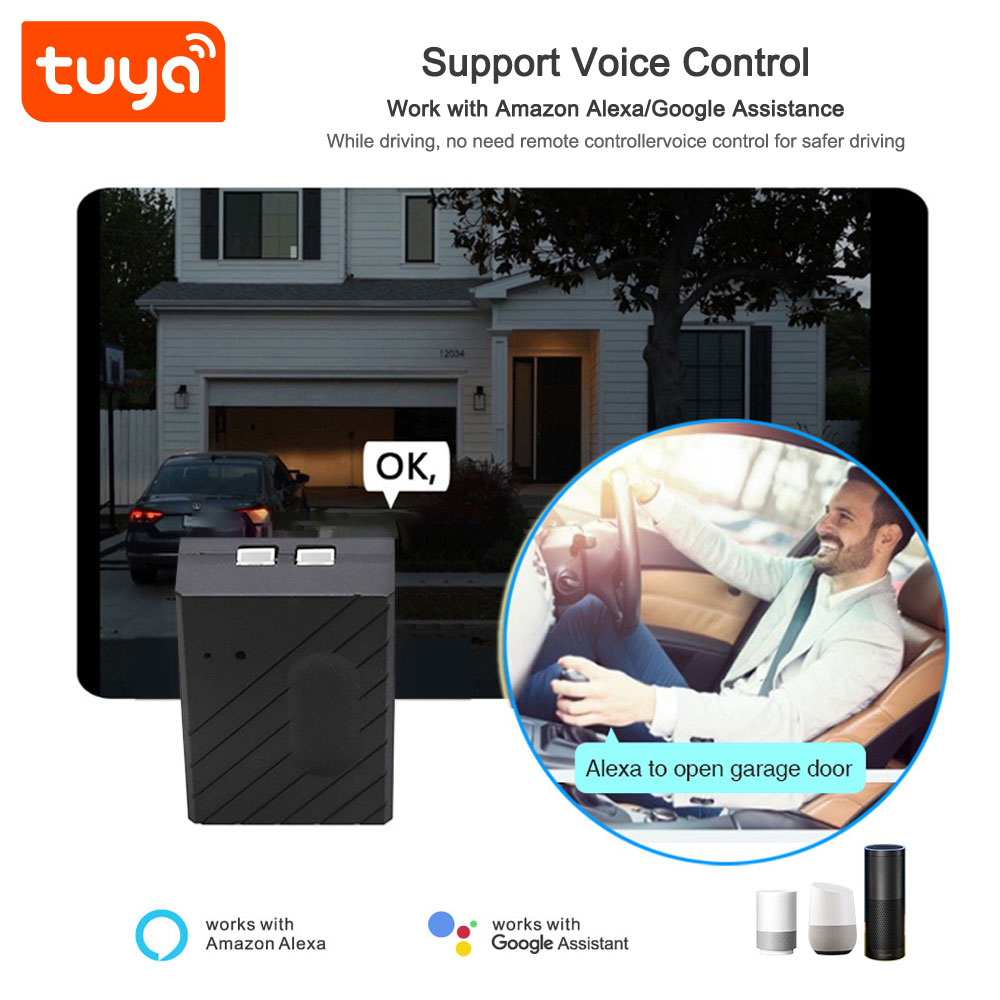
Support Voice Control
Work with Amazon Alexa/Google Assistance
Control garage door
Support
Tuya Smart product Linkage control
Can be part of Tuya scenes
Core Function
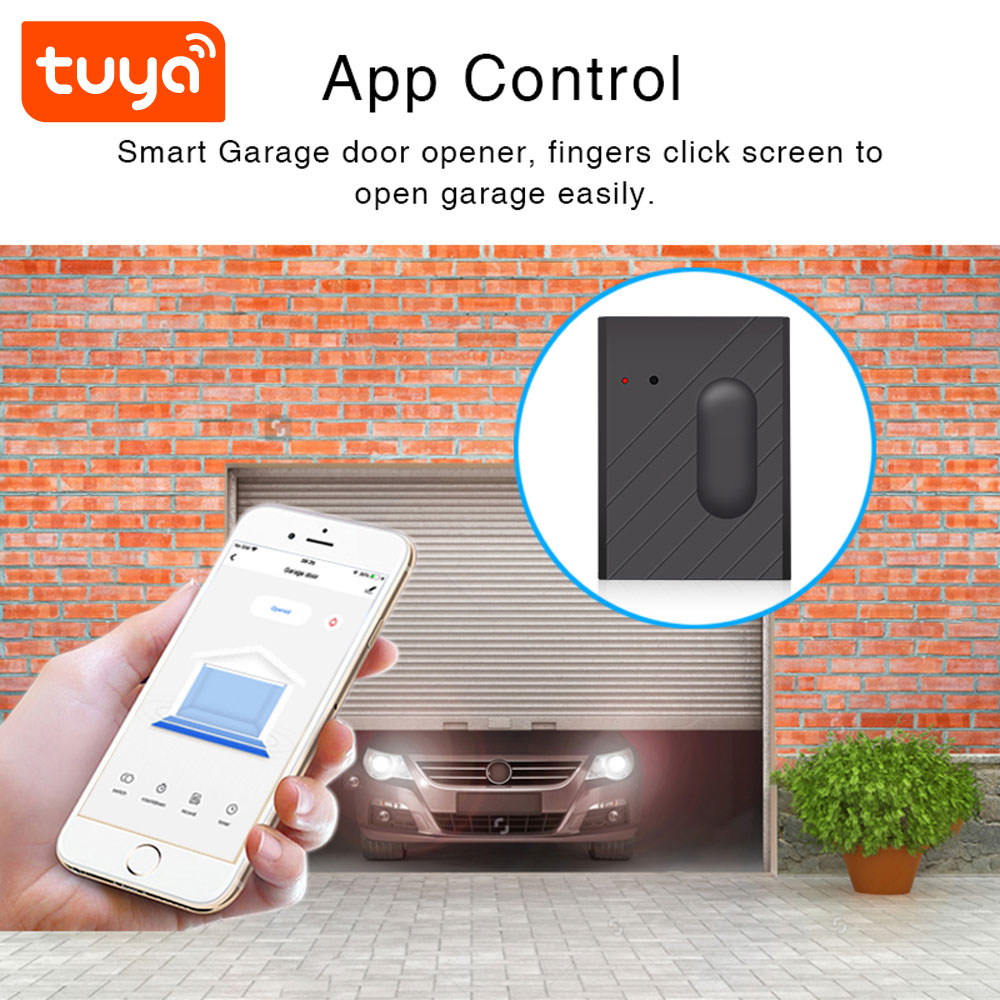
Remote control of garage door open/close via Smart Life app
Status Monitoring
Real – time display of garage door status(open/closed) in app
Dimension
10.5*6*4.3cm
Packaging and delivery
Selling Units
Single item
Single package size
17X12X6 cm
Single gross weight
0.350 kg
|
PST-WD400A Basic Information FAQ
|
|
Q1: What is this product?
A: It’s a Tuya – based Garage Door Controller. Enables WiFi – controlled opening/closing of garage doors, with smart features like timing and voice assistant integration. |
|
Q2: Which apps does it work with?
A: It works with Smart Life and Tuya Smart apps. You can download them from App Store (for iOS) or Google Play (for Android). |
|
Q3: What’s the power input?
A: Power: DC5V. Connects to standard household power outlets. |
|
Q4: Do I need a hub?
A: No. It connects directly to a 2.4G WiFi network via the Smart Life APP—no extra hub required. |
|
Q5: Is professional installation needed?
A: Basic DIY installation is possible if you’re comfortable with wiring. Follow the user manual. For complex setups, consult an electrician. |
|
PST-WD400A Compatibility & Integration FAQ
|
|
Q6: Which voice assistants does it work with?
A: Works with Amazon Alexa and Google Assistant. Link via Tuya/Smart Life APP for voice control (e.g., “Alexa, open garage door”). |
|
Q7: Can it link with other Tuya devices?
A: Yes. Supports TuyaSmart product linkage. Create smart scenes (e.g., garage door opens when Tuya – connected motion sensor detects you). |
|
Q8: Can multiple users control it?
A: Yes. Share device access in the Smart Life APP (add family members’ accounts for shared control). |
|
Q9: How to set up the smart reminder?
A: In the app, find the settings of the connected tag, and you can set up smart reminders like separation alert. When the tag and phone are separated beyond the set range, the app will send a reminder. |
|
PST-WD400A Setup & Installation FAQ
|
|
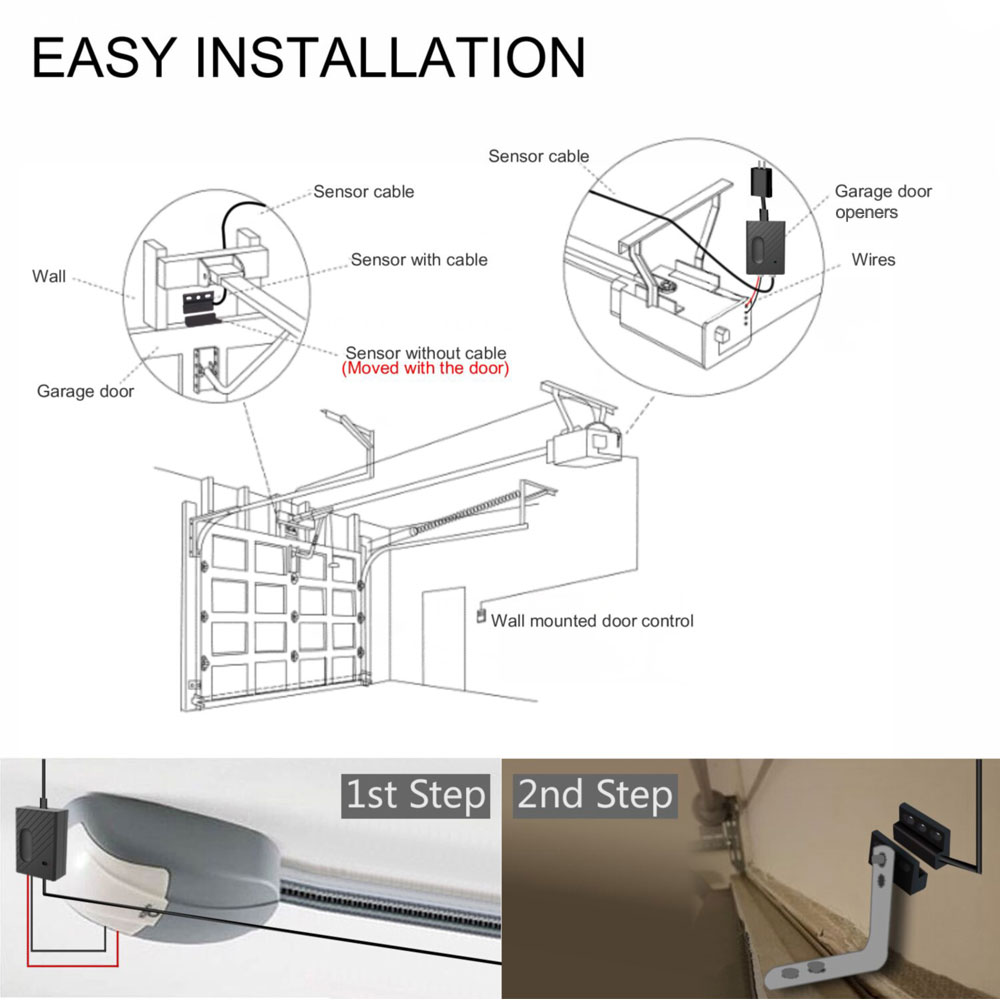
Q10: How to install the controller?
A: Turn off garage door opener power → Connect the controller to the opener’s wiring (follow manual diagrams) → Power on → Pair with Smart Life APP via 2.4G WiFi. |
|
Q11: Wiring is complicated. Any tips?
A: Label wires before disconnecting old components. Match terminals (e.g., NO, NC, COM) as per the manual. Test with the app after wiring. |
|
Q12: How to pair with Smart Life APP?
A: Open APP → Add Device → Select “Garage Door Controller” → Follow prompts (ensure 2.4G WiFi, enter password). The controller’s LED may blink during pairing. |
|
Q13: Controller not pairing with WiFi?
A: Check WiFi is 2.4G, restart router and controller, reset controller (press reset button 5s—check manual), then retry pairing. |
|
Q14. Can I install it outdoors?
A: No. It’s for indoor use (garage interior). Protect from direct rain/water; it’s not waterproof. |
|
PST-WD400A Functionality FAQ
|
|
Q15. How to open/close the garage door via app?
A: In Smart Life APP, tap the “Open”/“Close” button on the device’s control page. |
|
Q16. What’s the timing function?
A: Set schedules in the app (e.g., auto – close at 8:30 PM). Prevents forgetting to close the door. |
|
Q17. Does it show door status (open/closed)?
A: Yes. The app displays real – time status. It uses a magnetic sensor (included) to detect door position. |
|
Q18. Get notifications if door is left open?
A: Yes. Enable notifications in the app. You’ll get alerts if the door stays open beyond a set time. |
|
Q19. Can it control multiple garage doors?
A: One controller manages one garage door. For multiple doors, buy additional controllers and pair each in the app. |
|
PST-WD400A Safety & Troubleshooting FAQ
|
|
Q20. Can I integrate with smart home routines?
A: Yes. In Smart Life/Tuya APP, create “Scenes” (e.g., “Good Morning” scene opens garage door, turns on lights). Works with other Tuya – compatible devices. |
|
Q21. Set temporary access for guests?
A: Share app access temporarily (via “Share Device” in app) or generate a one – time password (if supported by your opener).Remove access after use. |
|
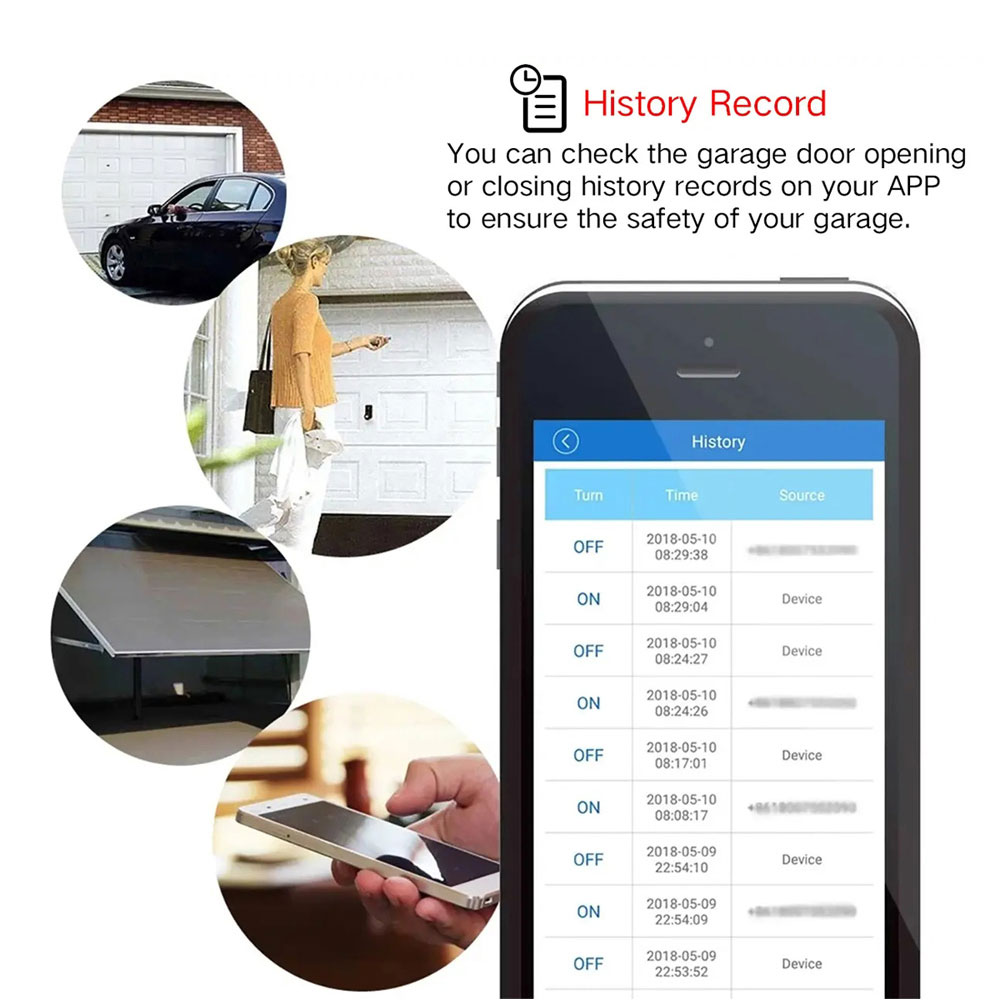
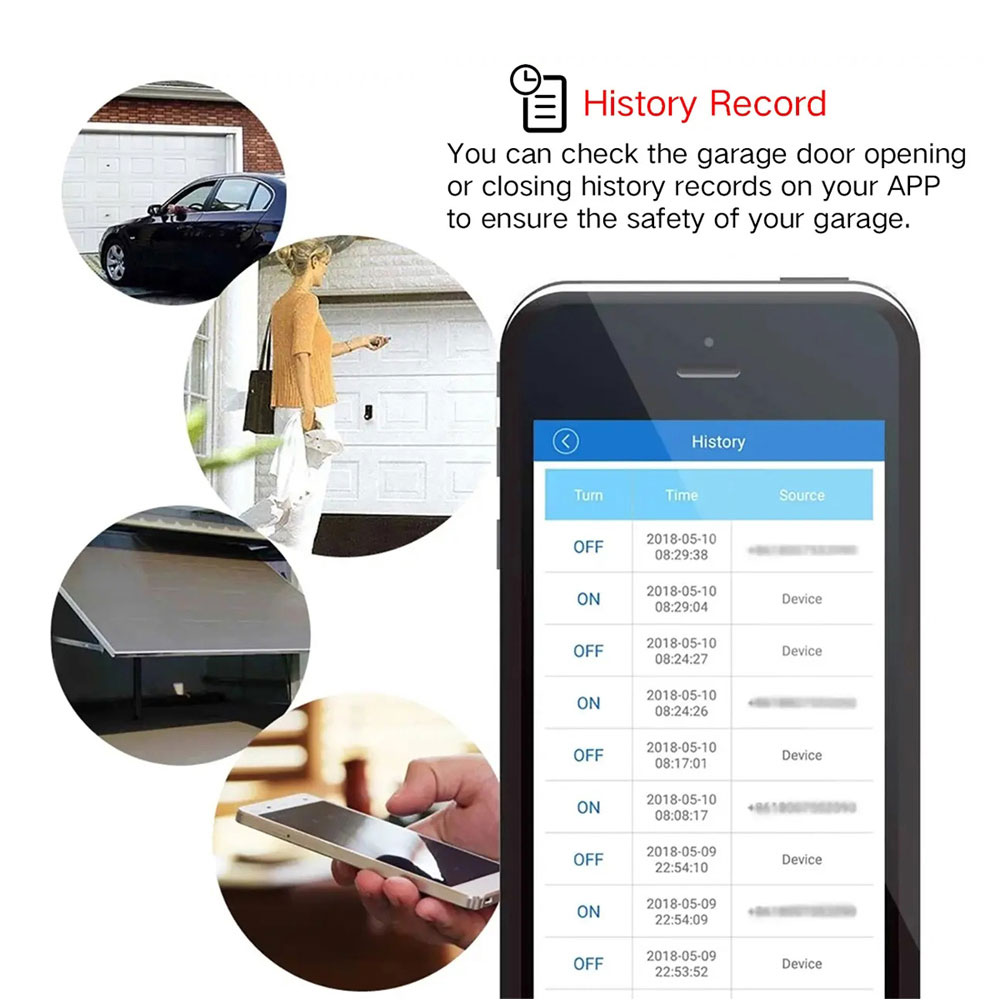
Q22: Can it monitor door activity history?
A: Yes. The app logs door open/close events (time, status). Check “History” or “Log” section in the device settings. |


Reviews
There are no reviews yet.